Portfolio Website & Interface Projects – 2019 ( Updated 2025 )

Example Website Design Projects | UI Design, Digital Products

With over 15 years of commercial experience in creative design and front-end web development, I have been given some brilliant opportunities to work on products which have been fun, engaging and challenging.

In this post, I am sharing a portion of my website design experience from my time at Satzuma, a gifting and tech company based in London.

Title graphic for brand - used across website and print media!

At Satzuma, ‘Branding’ and appearance were key. All the of websites and any web-based media. Be it the UI’s, the logos, or even when I used the flash to make an application. It still needed to tie in with the broader brand ideology.

Portfolio Website & Interface Projects | Desktop & Application Icons
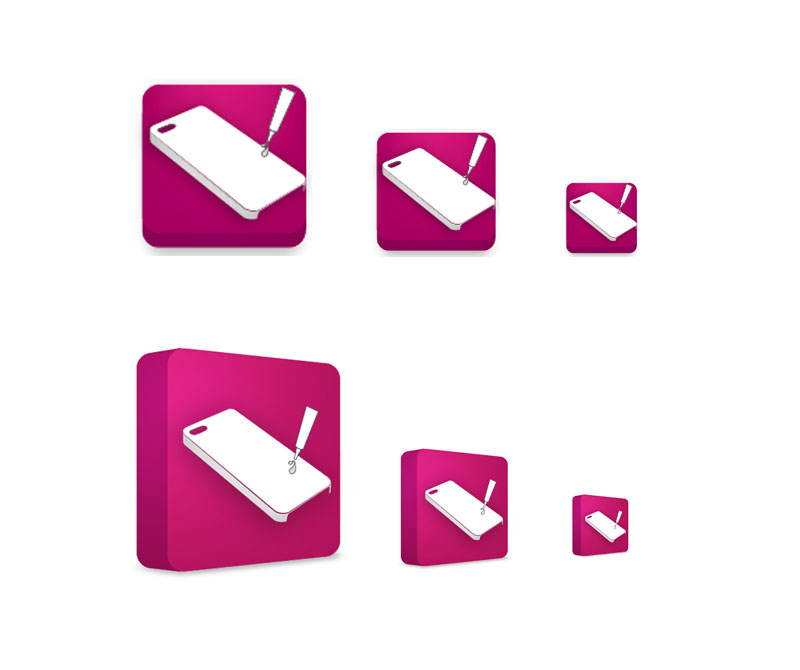
Initial icon design created on illustrator and photoshop
Snap shot of early icons for the flash application –
Website application icons - Example Website Design Projects | UI Design, Digital Products

I created icons for this application, but all in all, it was the browser-based application that was used more readily. Without going into too great detail on that application here, here are some snapshots of that application in action.

The Application In Action!
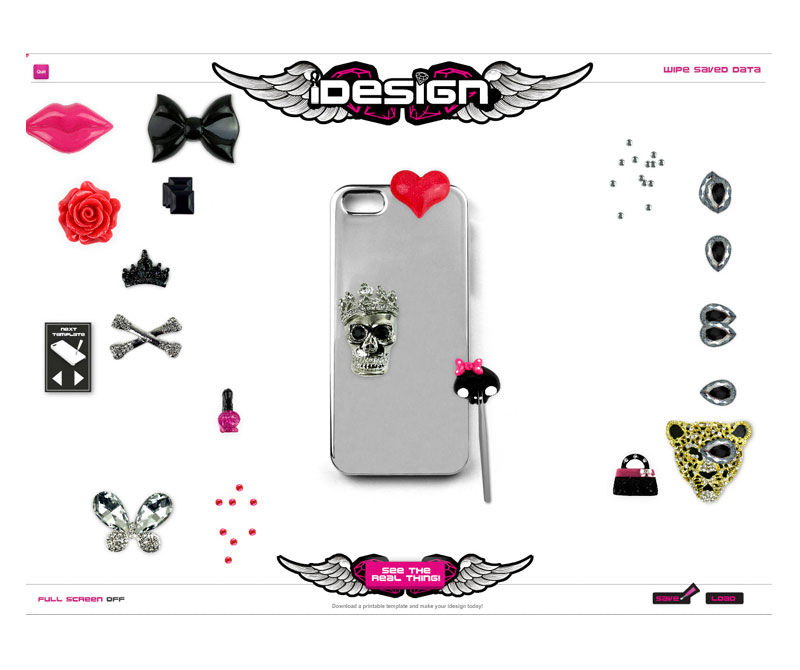
A drag and drop application used to promote a product online
The drag and drop application – in action! Shows how the product worked.
Actionscript in action! used to create an APP
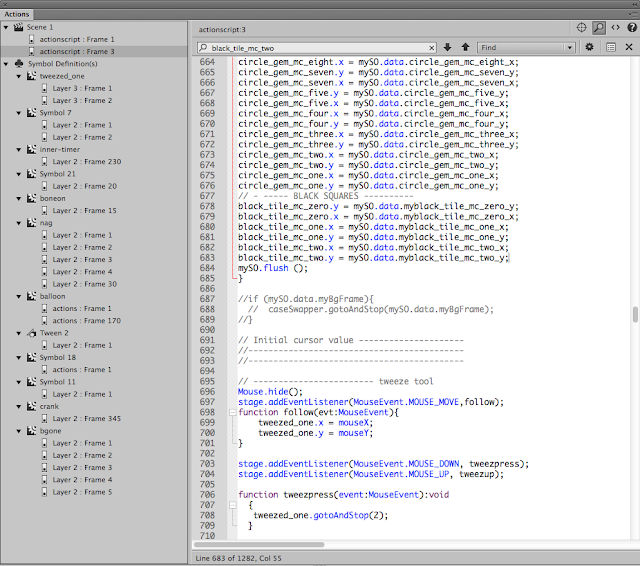
Screenshot of coding the application I coded and developed in Adobe Animate – formerly flash

In brief, the application’s goal was to demonstrate how a real-world product worked virtually to prospective buyers. The product, in essence, allowed ‘The Buyer’ to decorate their own phone case. This web-based and browser-based application could be used by both B2B and B2C users.

So that is what ActionScript 3 looked like!

Yep, the app didn’t work by magic. To make the application work, code is needed! And ActionScript was the lifeblood that made Adobe Animate tick. ActionScript is a largely defunct language now; you can read more on this website.

I have other code-based blog posts here, too, if interested?

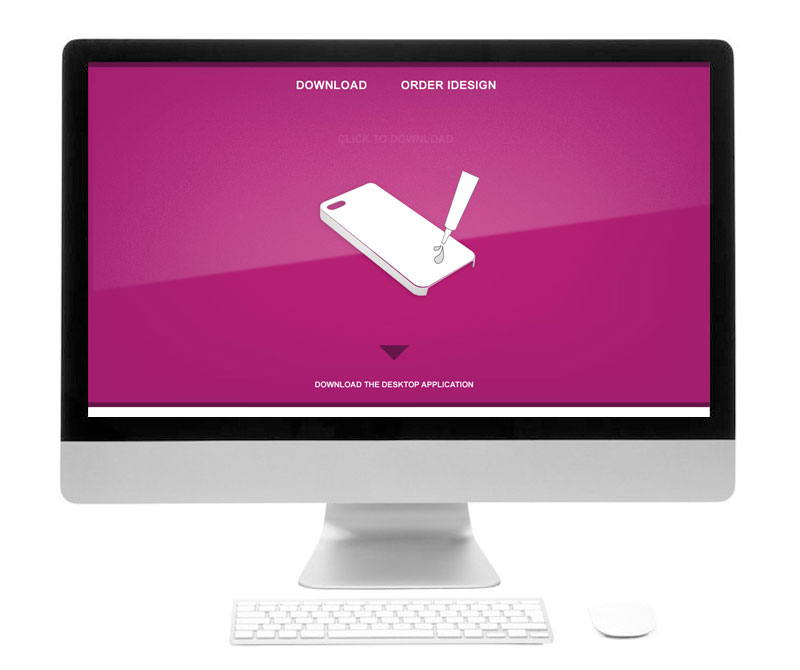
Landing page design for website
The application also had a dedicated page on the website so you could download the play the game / application from your computer. These types of pages are often referred to as ‘Landing pages’ and this was part of the landing page design.

What was the point of this website and application?

The real-world product was designed so you could decorate your own smartphone and headphones with an all-encompassing DIY kit. We branded this the “i Design kits” or kits. It was for the gifting and tech market. And for this, the website’s look and feel needed to meet the following criteria:

Example Website Design Projects | Designing a Landing Page

As shown above, a landing page was created to offer a central point which users could download the app to their desktop or use the app directly through their browsers. According to the analytics, the app played on the browser was the most used method.

When creating this page, I designed the UI and the content to be on brand and in keeping with the product we were trying to sell.

Creating An E-shop

It was discussed that it would be a good idea to create an online shop so business to business retailers could buy the products in bulk. 1000 units, 50 units, etc, and the platform would maintain the stock. After research and looking into core requirements, maintenance, ease of use and cost, and stability, OpenCart was given the go-ahead.
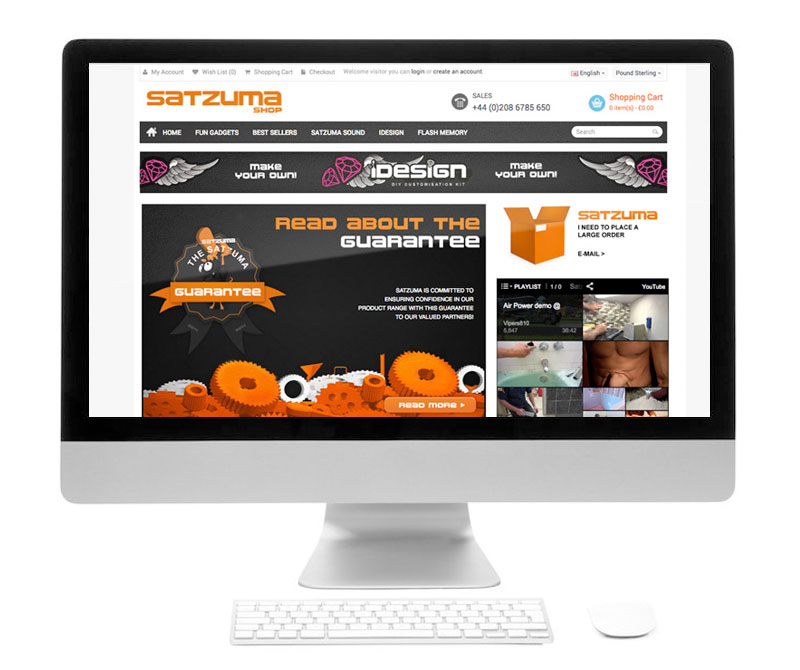
Snapshot of shopping cart of  website. OpenCart


This is an example of the OpenCart theme with the core Satzuma branding applied to it.

The website needed to look engaging and be in keeping with the brand as a whole. Packaging like one business and a website that looked like another would potentially put off customers and larger retail brands.
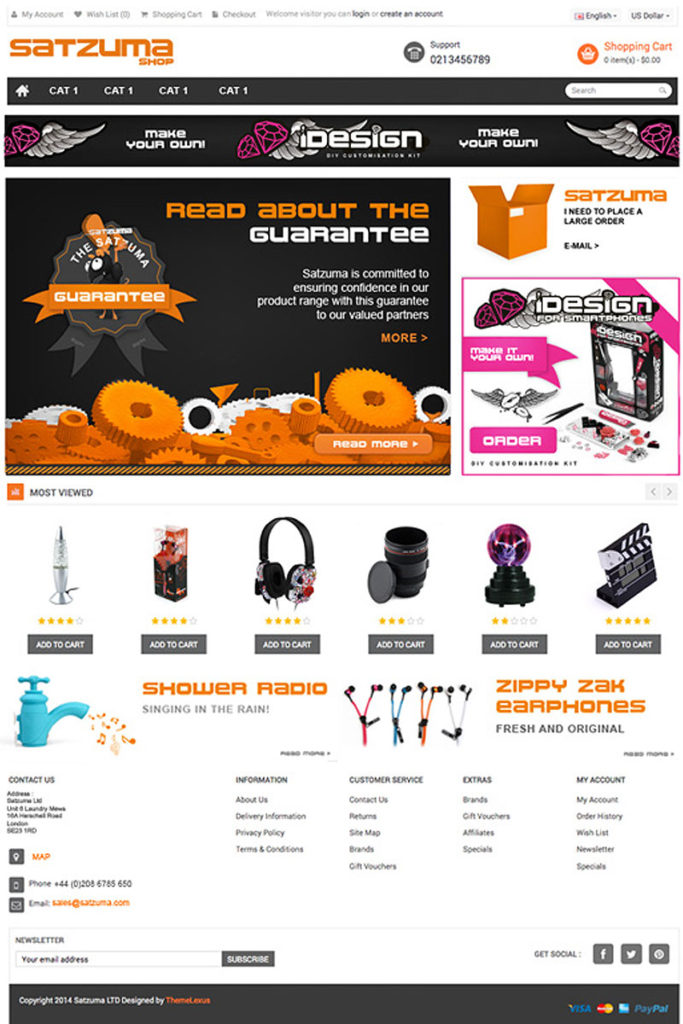
Full length opencart UI design
This is the UI design based on the Nexus Theme. This is the design stage before the artwork was broken down and applied to the online store.

A Piece UI Design

This is a piece of UI design that was applied to one of the earlier original Satzuma brochure site designs. These buttons and elements were broken down and written into the HTML and CSS. This website gave a punchy brand experience whilst offering information on the product.

This design encompasses some of the core elements of the website. Such as :

  • The user interface design – buttons, backgrounds, quotes, decorations, navigation, logo, social media, and other ad-hoc parts that constructed the general interface of the website
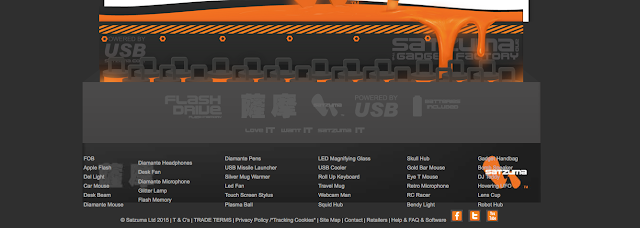
  • Buttons – Its not a coincidence that buttons are orange. Based on a seminar by a ecommerce consultancy. People clicked more often on the colour orange. Which was fortunate as so was the core branding of Satzuma. This allow for clear areas of Calls To Action on the web page.
  • Dark Elements – The core branding of Satzuma was orange a black – fun and tech. Using these core principles of the brand, I created a look that was both functional and respectful to the branding of the business. This also plays into something called ‘semiotics’ you can read more on semiotic examples here. The main purpose of the black, in addition to be part of the black/dark branding was to act as a neutral bed of colour to emphasise the CTA’s and the content.
  • Charm & Character – following the charming elements and the character of the brand you will see (or used to) the Satzuma Man drawing attention to promotions and core messages. He was a face / mascot which captured fun elements of the brand

More Projects –

If you need help with your website be it basic consultation, design, growing online, design the look and feel, helping to set up a WP website so you can manage your own website – feel free to say hello.

You may also find some of these more current projects interesting:
Easy to follow steps for making a bespoke low-maintenance brochure website using PHP include ( in principle )

Making a simple PHP include website need not, in principle, need not hurt your brain!

So… Let’s make an easy-to-maintain bespoke brochure website using PHP. This post covers the principles of using PHP and how it can be used for brochure websites, also known as ‘brochureware’. This is not a whole guide to making a website, only the PHP part.

steps for making a bespoke low-maintenance brochure website using PHP include
Using PHP include will make maintaining a larger bespoke website much easier.

Maintaining a large bespoke brochure website can be very time-consuming, based on my past experience.  Using PHP “include” can take the website to the next stage of modular design and streamline your workload.

Imagine writing one line of code into a ‘php’ file instead of copying and pasting the same piece of code across 70 or so pages? Now that is time-saving.

Now imagine if you had to manually edit and retype code across all 70 pages due to a typo! You would have to go back and amend all of the pages one by one, and it would be a costly waste of time! And you’d get an arm ache!

This is especially useful on navbars and footers. Using PHP include can reduce the time-consuming method of copy and paste, shorten time, and take your website to the next stage of development (Or look at a CMS system, but that is a different topic).

With using the ‘php Include’ – the information you amend in one file can change across multiple webpages with a simple save and upload.

To further illustrate this, you can use this method for navigation, footers, banner adverts, and much more. I cannot emphasise how much easier this will make your life when working on larger projects if you must take the bespoke method. Change once to update many!

It will save hours!
Or as I said before, just use a CMS system.

Divider

The Principle Of Using PHP INCLUDE for Navigation and Footers

In short, with PHP Include, you can use this line of code to include things into a web page. For example, you may wish to add custom navigation, a footer, a banner advert or just something that you wish to include. It pulls in external files and components.

For example, on a master page – parent page or however you wish to address a main page, by adding a line of script into a ‘div’ or area of your page, you can pull in files such as a navigation if it were to be created in a separate file. Such as a separate nav bar.

Likewise, this principle and line of code can pull in footer data. Or anything of similar nature.

You need not copy and paste the navigation again and again. It has many uses and purposes.

<?php include ‘a-cool-file.php’;?>

More on this can be read here on W3C schools. ( 3rd part website )

Part 1: Getting started with ‘PHP include’

Steps for making a bespoke, low-maintenance brochure website using PHP include: the first block.

As a basic example, we are going to make a footer. We will have a master or ‘main’ document that will  “include” – pull in, integrate, import a file from your website. This file will be a footer.

This tutorial/experiment will assume you already have prior knowledge of setting your website up with root folders etc, if you need some more help with this, please follow these tutorials.

https://helpx.adobe.com/dreamweaver/how-to/first-website-part1.html 

Or PHP

http://php.net/manual/en/tutorial.php

You Will Need: 

– The main file (The parent/master)
– An external footer file (why not add some styling to your html?)
– One line of code, which you will embed into the parent folder.
– A space to upload/test your experiment. (domain and hosting)

Component 1 – Parent File (Master)

The ‘Parent’ (master) will pull in the external files to construct the page. In this example. The master will have some code at the bottom of the page that will say ‘Hey footer, you included down here’.

Why not call your parent file ‘master.php’

This image shows (with straying CSS, bleurgh! sorry, an old image ) the master.php and Product-footer-test.html working together… or popping out of the bottom. 

PHP include shown in image - demo of a PHP include
This is a master file and a and external footer.html / or PHP working in conjunction.

Component 2 – Footer File

I have used the footer in the example. This area of the website at my previous company used to have frequent updates, with new products being added constantly. As you can see, all styling is added to this queasy example with the accursed table by using CSS – the image below is the bare bones of the footer file – no bells, no whistles! ( Why did I use the horrible table back in the day!

If completed correctly, changes or modifications to the footer file will be included in the master file once you add the “include” piece of code to the master file. So what you change here (the footer file) will be visible once you come to uploading all of the files and testing the file.

How you treat your footer is down to you.

The Code Example – The Simple Piece of Code to Paste Into Your Master PHP file

The image below shows in red where the piece of “include” code sits. So, imagine you have made a hollow space on your webpage, in the hollow space, you are going to add this code to the bottom. As shown. 

1 line that could potentially save you hours!
Its just 1 line of code… 1 line that could potentially save you hours!

Product-footer-test.html”); ?>

The line of code above, which has been inserted into the bottom of your master file will call on the footer module and all of its elements.  Once you upload your files you can see whether the footer has worked! Oh and check you have saved everything!

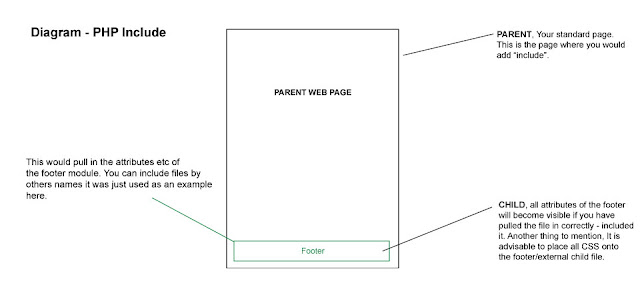
The visual diagram below will visually show how the principle works – leaving aside how the coding works for the PHP include.

Summary of PHP include in action

Parent, Child, Footer... How PHP include works for designers
This is a image of what is happening with you PHP include!

In a nutshell. You have the parent (the main page) and a child, in this example, it was the footer. 2 elements talking to each other. Thank you for reading.

Hey, need a hand with your website?

There are other methods to get the results you want, which may be even more effective if you are a non-coder. You can use a web builder, a CMS or something else. If you would like help you can find out more on the design website.

If you need a hand with a blog or website, please get in touch.

You may also find these posts interesting :

Making a simple PHP include website : Website Posts